The VIVO Dual Ultrawide Monitor Desk Mount review is for anyone planning a two-screen setup with larger displays and limited desktop space.
It supports monitors up to 38 inches and 22 pounds each, with broad articulation and clamp or grommet mounting.
VIVO Dual Mount Review Summary
The quick verdict
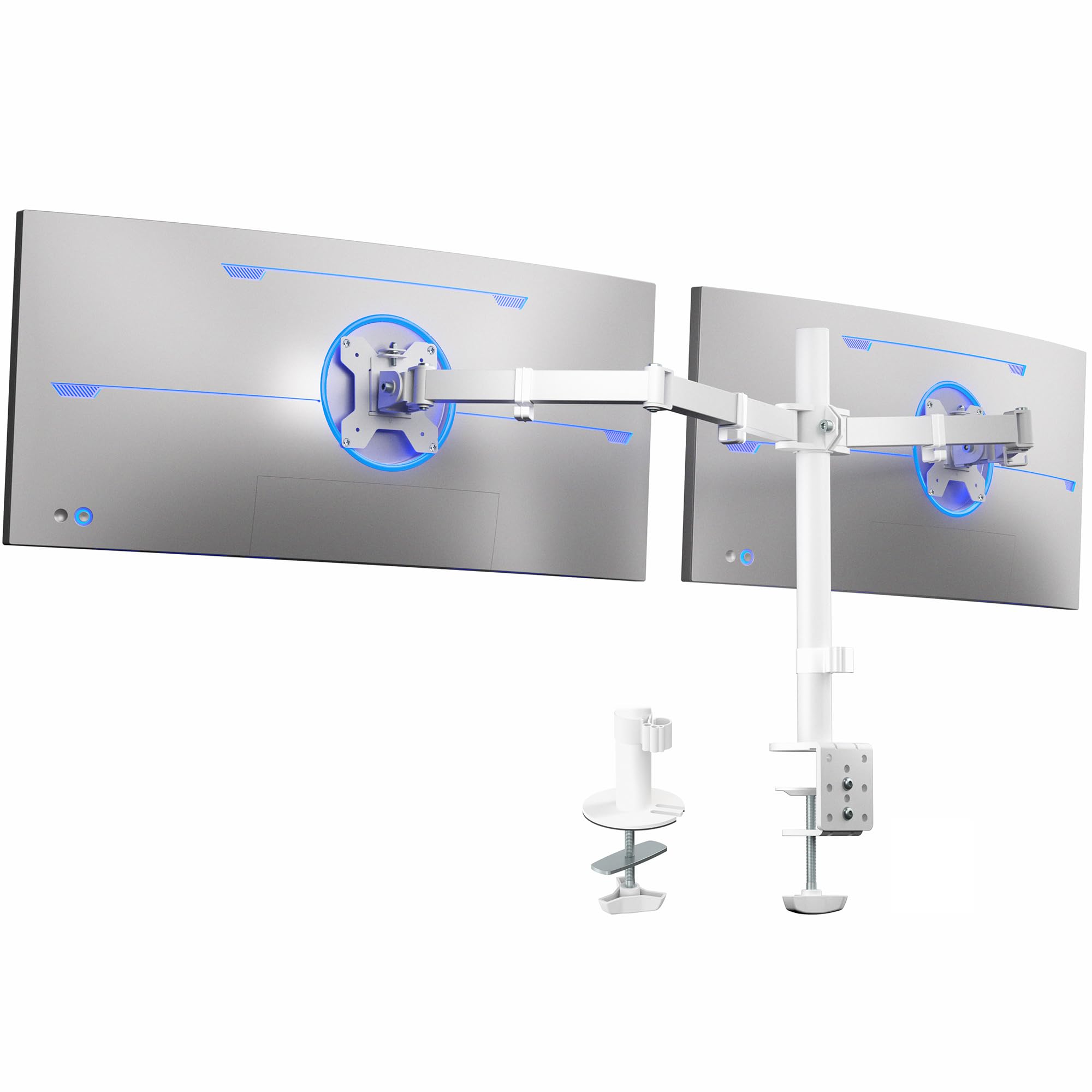
60,000+ ratings
Read Amazon ReviewsVIVO Dual Ultrawide Monitor Desk Mount
A flexible desk mount for users with two VESA-compatible ultrawide monitors who want adjustable positioning and a clamp or grommet installation.
- Supports two monitors, each up to 38 inches and 22 pounds.
- Compatible with monitor backs using 75 x 75 mm or 100 x 100 mm VESA mounting holes.
- Adjustable brackets provide +90° to -90° tilt, 180° swivel, and 360° rotation.
- Height adjusts along the center pole; screens can be oriented in portrait or landscape.

Pros
- Accommodates two large ultrawide monitors within the stated size and weight limits.
- Offers a broad range of screen positioning and portrait or landscape orientation.
Consider before buying
- Both monitors must meet the individual size, weight, and VESA requirements, so larger screens should be checked carefully before purchase.
- The C-clamp option is limited to surfaces up to 3.25 inches thick; confirm your desk edge and underside leave room for installation.
Read the full review summary
This mount’s central appeal is accommodating two ultrawide displays on one desk-mounted support.
Each screen can be up to 38 inches and 22 pounds, provided it uses a 75 x 75 mm or 100 x 100 mm VESA pattern.
The arms tilt, swivel, rotate, and adjust along the center pole, giving users several ways to position their screens.
It is a strong fit for a workstation built around two compatible large monitors, especially when reclaiming desk surface matters.
Before buying, check the weight and VESA pattern of each display, along with the desk thickness and clearance around its edge.
The mount attaches with a C-clamp to surfaces up to 3.25 inches thick, or through a grommet installation.
The buying factors
VIVO Dual Mount Scorecard
Editorial scores reflect listed features and buyer fit; they are not laboratory measurements or customer ratings.
Ultrawide compatibility
Supports two displays up to 38 inches and 22 pounds each, with the specified VESA patterns.
Positioning range
Each mounting bracket offers tilt, swivel, rotation, and height adjustment on the center pole.
Mounting flexibility
Offers C-clamp or optional grommet installation, with the clamp fitting surfaces up to 3.25 inches thick.
Cable organization
Clips along the arms and center pole help route monitor cables.
Installation support
Detachable VESA plates, hardware, and assembly instructions are included.
Desk-space recovery
Elevating two monitors can free the desktop area they would otherwise occupy.
Key Features and Specifications of VIVO Dual Mount
- Supports two monitors, each up to 38 inches and 22 pounds.
- Compatible with monitor backs using 75 x 75 mm or 100 x 100 mm VESA mounting holes.
- Adjustable brackets provide +90° to -90° tilt, 180° swivel, and 360° rotation.
- Height adjusts along the center pole; screens can be oriented in portrait or landscape.
- Mounts with a heavy-duty C-clamp on surfaces up to 3.25 inches thick, or with an optional grommet mount.
- Detachable VESA plates, assembly hardware, and instructions are included.
- Cable clips along the arms and center pole help keep cords organized; the mount is backed by a three-year warranty.
Pros and Cons of VIVO Dual Mount
Pros
- Accommodates two large ultrawide monitors within the stated size and weight limits.
- Offers a broad range of screen positioning and portrait or landscape orientation.
- Provides clamp and grommet installation choices.
- Detachable VESA plates and included assembly materials simplify the mounting process.
- Cable clips help keep wiring routed along the support.
Consider before buying
- Both monitors must meet the individual size, weight, and VESA requirements, so larger screens should be checked carefully before purchase.
- The C-clamp option is limited to surfaces up to 3.25 inches thick; confirm your desk edge and underside leave room for installation.
- The setup requires mounting both screens to a shared center-pole assembly, so check the available desk layout and desired screen positions before committing.
Who Should Buy VIVO Dual Mount?
Good fit
Consider the VIVO Dual Ultrawide Monitor Desk Mount if you want to elevate two compatible ultrawide displays and adjust their tilt, swivel, rotation, and height.
The 38-inch and 22-pound-per-screen limits make it relevant to larger-monitor setups, while the VESA pattern requirement gives you a clear compatibility check before ordering.
The mounting options suit buyers who can use a desk-edge clamp or prefer a grommet installation.
Measure the surface thickness and inspect the underside around the mounting point; then plan where the center pole and two screens will sit. Included detachable plates, hardware, instructions, and cable clips round out a practical workstation-focused package.
Who should skip it
Skip this model if either monitor exceeds 38 inches or 22 pounds, or lacks one of the supported VESA patterns.
A different mounting approach may be a better fit if your desk cannot accommodate the clamp dimensions and a grommet installation does not suit its layout.
How the VIVO Dual Mount Fits a Two-Ultrawide Desk
Check the screens as a pair
The two-screen capacity is useful only if each display independently falls within the 38-inch and 22-pound maximums and has a compatible 75 x 75 mm or 100 x 100 mm VESA pattern.
Check the monitor specifications and mounting area before installation, particularly if either screen is unusually wide or heavy.
Positioning and everyday use
Tilt, swivel, and full rotation offer flexibility for aligning the screens, while height adjustment along the pole can help set their vertical placement.
Portrait and landscape orientation are both supported, giving the setup room to adapt to different tasks and viewing preferences.
Desk fit and mounting
The C-clamp attaches without drilling and supports surfaces up to 3.25 inches thick; an optional grommet mount provides another installation path.
Measure the desk and check the underside around the selected mounting point to ensure the chosen method works with its shape and construction.
Cable routing and setup
Clips along the arms and pole provide a route for monitor cords, helping keep cables from loosely crossing the work area. Detachable VESA plates are designed to make screen attachment easier, and assembly hardware and instructions are provided.
Alternatives to VIVO Dual Mount
Computer Monitor Arms alternative
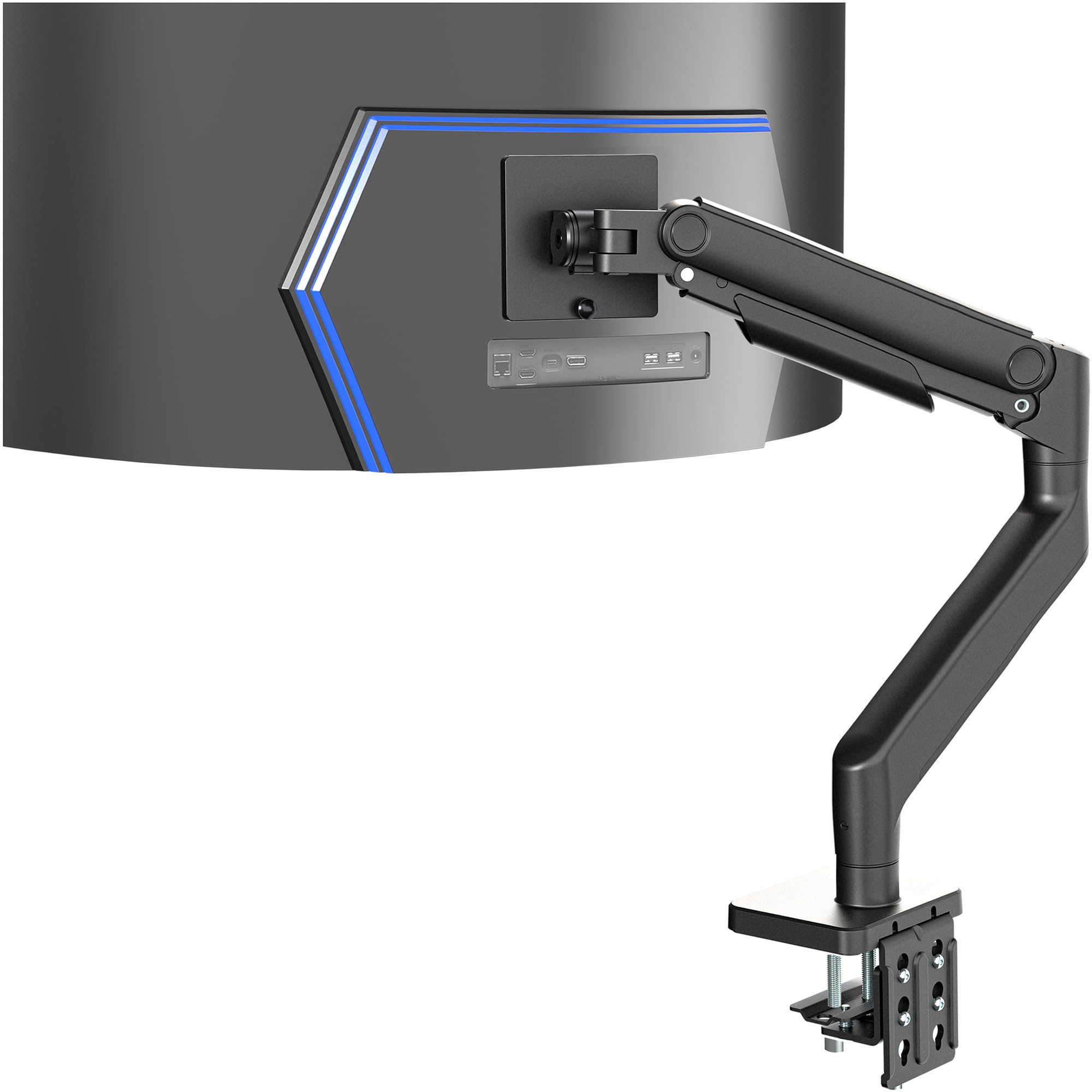
2,000+ ratings
Read Amazon ReviewsVIVO Aluminum Ultrawide Monitor Tension Arm
Choose the dual mount for two displays that fit its per-screen limits. Consider the tension arm if you need to support one substantially larger or heavier ultrawide and want spring-assisted height adjustment.
- This VIVO model is a single-monitor arm for ultrawides up to 49 inches and 44 pounds, with a spring-assist arm, 11 inches of height adjustment, and tilt, swivel, and rotation.
- The reviewed VIVO mount holds two ultrawide monitors up to 38 inches and 22 pounds each, using a shared center-pole design.
Computer Monitor Arms alternative
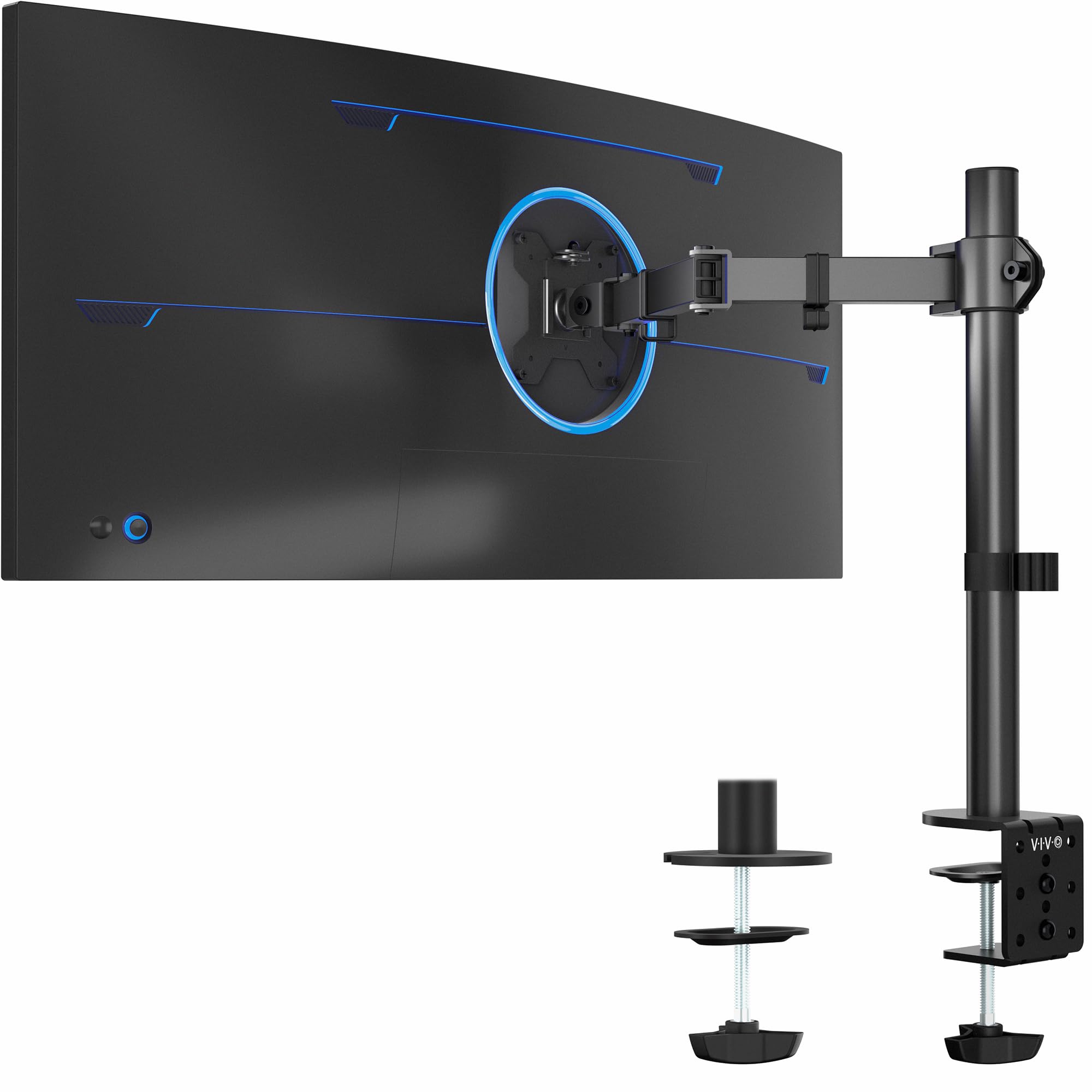
20,000+ ratings
Read Amazon ReviewsVIVO Single Monitor Desk Mount
The dual mount is the relevant choice for a two-monitor workstation. Choose the single mount if you only need to position one compatible screen and do not need a second monitor arm.
- This VIVO model supports one monitor up to 38 inches and 22 pounds, with tilt, 360° swivel and rotation, height adjustment up to 16 inches, and clamp or grommet mounting.
- The reviewed mount is designed to hold two monitors, each up to 38 inches and 22 pounds.
Is VIVO Dual Mount Worth It?
The VIVO Dual Ultrawide Monitor Desk Mount is worth considering for a two-screen workstation when both monitors fit its 38-inch, 22-pound-per-screen limits and VESA requirements.
Its range of adjustments, two mounting options, detachable plates, and cable clips address practical setup needs.
Measure the desk and verify both monitors before buying. If the shared pole and dual-screen layout match your workspace, this mount offers a straightforward way to position two ultrawides while clearing some space below them.
Your review at a glance
60,000+ ratings
Read Amazon ReviewsVIVO Dual Ultrawide Monitor Desk Mount
A flexible desk mount for users with two VESA-compatible ultrawide monitors who want adjustable positioning and a clamp or grommet installation.
- Supports two monitors, each up to 38 inches and 22 pounds.
- Compatible with monitor backs using 75 x 75 mm or 100 x 100 mm VESA mounting holes.
- Adjustable brackets provide +90° to -90° tilt, 180° swivel, and 360° rotation.
- Height adjusts along the center pole; screens can be oriented in portrait or landscape.